Quickstart
The shortest path to mount Jupid inside a partner application.
This quickstart assumes Jupid has already issued staging access: partner ID, staging app URL, shared secret, allowed origins, and any webhook details. The placeholder values below must be replaced with values enabled by Jupid.
1. Add a mount point
Put a real-height container in the partner product where Jupid should appear:
<div id="jupid-embed" style="height: 100%; min-height: 720px"></div>In a dashboard layout, the surrounding workspace should fill the viewport. The embed will fill the container.
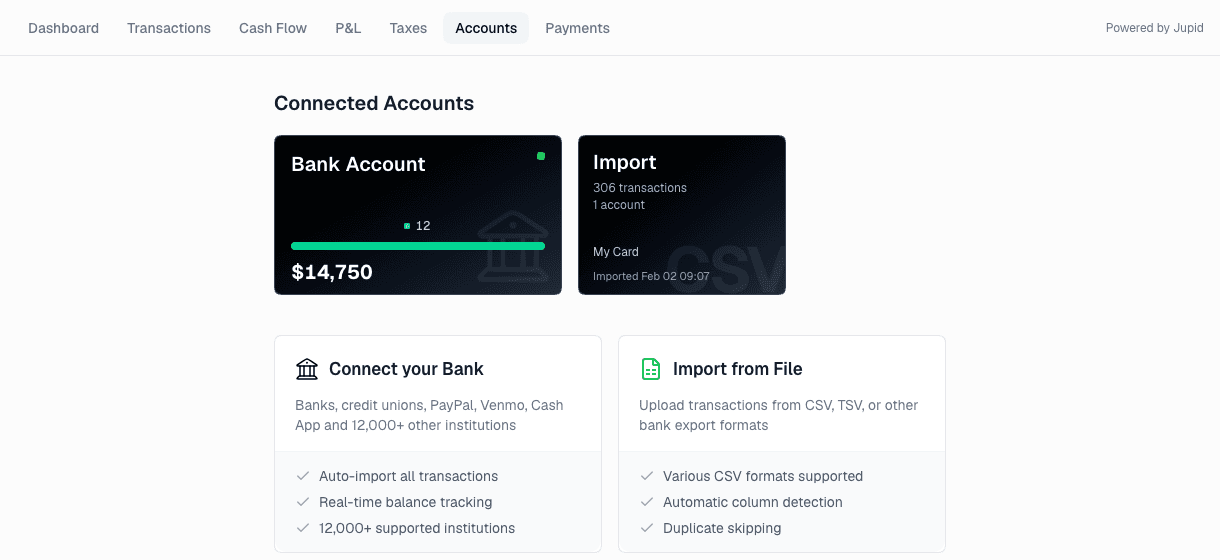
2. Create the token endpoint
Create an authenticated server endpoint in the partner app:
GET /api/jupid/embed-tokenThe endpoint must only return a token for the signed-in partner user. Do not create tokens from browser-only code.
The token must include the partner user's durable ID, email, display name, and short expiration. See Authentication for the full claim shape.
If Jupid enabled account sync for the partner, include the agreed account-list payload in the token.
3. Load the browser SDK
Load the SDK from the Jupid app URL provided for the current environment:
<script src="https://jupid-staging-app.example.com/embed.js"></script>Replace the example URL with the exact staging app URL Jupid sends after approval.
4. Mount Jupid
Give the SDK the partner token endpoint and mount the workspace:
<script>
  async function openJupid() {
    JupidEmbed.mount({
      partnerId: "your-partner-id",
      tokenUrl: "/api/jupid/embed-token",
      container: document.getElementById("jupid-embed"),
      initialPath: "/",
      shell: "topbar",
      chat: "disabled",
      appUrl: "https://jupid-staging-app.example.com",
    })
  }

  openJupid()
</script>
The first time a partner user opens Jupid, the iframe sends them to account
connection. Returning users open the initialPath requested by the
partner page. initialPath must be a root-relative Jupid path such
as /, /accounts, or /payments.
shell and chat are optional SDK overrides. Omit them
to use the Jupid partner configuration.
5. Verify the flow
Use a real authenticated partner user and confirm:
- the iframe loads without the full Jupid outer sidebar;
- the first run lands on account connection;
- refreshing the partner page reuses the same Jupid user;
- changing the partner user creates a separate Jupid user mapping;
- the Jupid-side usage-based free limit and paywall behavior match the pilot setup;
- provider popups such as bank connection can open from the iframe.
- enabled webhooks, such as account changes, are signed and accepted.
See Testing and launch before switching to production.