Embed for partners
Browser SDK
Script-tag SDK API for mounting and controlling the embedded workspace.
The browser SDK is served from the Jupid app URL for the current environment.
Use the staging URL during integration and https://app.jupid.com
in production.
<script src="https://jupid-staging-app.example.com/embed.js"></script>Replace the example URL with the exact staging app URL Jupid sends after approval.
It exposes window.JupidEmbed.mount.
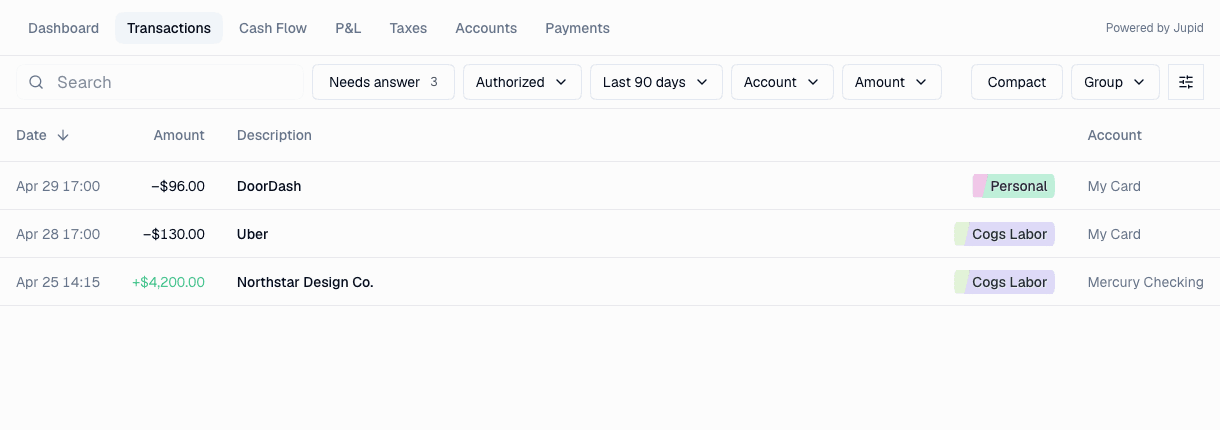
Mount API
type MountOptions = {
  partnerId: string
  token?: string
  tokenUrl?: string
  container: HTMLElement
  initialPath?: string
  shell?: "topbar" | "sidebar"
  chat?: "enabled" | "disabled"
  appUrl?: string
}

type EmbedController = {
  destroy(): void
}
Example
<div id="jupid-embed" style="height: 100%; min-height: 720px"></div>
<script src="https://jupid-staging-app.example.com/embed.js"></script>
<script>
  async function mountJupid() {
    const controller = JupidEmbed.mount({
      partnerId: "your-partner-id",
      tokenUrl: "/api/jupid/embed-token",
      container: document.getElementById("jupid-embed"),
      initialPath: "/accounts",
      shell: "topbar",
      chat: "disabled",
      appUrl: "https://jupid-staging-app.example.com",
    })

    window.addEventListener("beforeunload", function () {
      controller.destroy()
    })
  }

  mountJupid()
</script>
Options
| Option | Description |
|---|---|
partnerId | Partner ID issued and enabled by Jupid. Placeholder IDs are rejected. |
tokenUrl | Authenticated partner endpoint that returns { "token": "..." }. Defaults to /api/jupid/embed-token. |
token | Short-lived token signed by the partner server. Prefer tokenUrl; if token is passed, the SDK still uses tokenUrl for HTTP 401 refresh. |
container | DOM element that receives the iframe. |
initialPath | Root-relative Jupid path for returning users. It must start with one / and must not be a full URL or protocol-relative URL. Defaults to /. |
shell | Optional shell override. Use topbar when the partner product keeps its own sidebar, or sidebar when Jupid should show the partner-branded sidebar. Defaults to the Jupid partner configuration. |
chat | Optional chat override: enabled or disabled. Defaults to the Jupid partner configuration. |
appUrl | Jupid app origin for the current environment. |
Container sizing
The SDK makes the iframe fill the container. The host product must give the container a real height.
.workspace {
  min-height: 100vh;
}

#jupid-embed {
  height: 100%;
  min-height: 720px;
}
Iframe sandboxing
The SDK does not add an iframe sandbox attribute. This keeps
provider flows, bank connection popups, and external payment redirects easier
to validate.
If a partner needs iframe sandboxing, test every external provider flow before shipping it.